Where your data lives, how it is protected and what happens when something fails. In plain words, including what we don't promise.
Where your data lives
You pick the region when you create an endpoint, and it stays there for its whole life. Its hostname names it: <org>-<name>.<region>.api.swengle.io.
An endpoint's messages are stored in its region, and its backups are kept there too. An encrypted copy of the backups of every region we offer is also kept with a separate storage provider, Cloudflare R2, so they survive the loss of the whole region or of its cloud provider. The copy is encrypted before it leaves the region, and the storage provider never holds the key. For regions in the UK and the EU, the copy is always kept in the EU (for London, that is the EU, not the UK). For other regions it is kept near a location we ask for, without a guarantee: eastern North America for the US regions and for São Paulo (so outside Brazil), and Asia-Pacific for Tokyo. The privacy policy lists each region.
Broadcasts and presence are never stored.
The Console keeps account, organization, member and usage information (counts, not message contents). Billing goes through Stripe.
There is no replication or failover across regions. To serve from several regions, create an endpoint in each.
Runs on AWS, Google Cloud and Oracle Cloud Infrastructure.
Regions you can create in today:
aws-eu-central-1 (Frankfurt, Germany)
aws-eu-west-2 (London, UK)
aws-sa-east-1 (São Paulo, Brazil)
aws-us-east-2 (Ohio, USA)
gcp-asia-northeast1 (Tokyo, Japan)
gcp-europe-west2 (London, UK)
gcp-europe-west3 (Frankfurt, Germany)
gcp-us-east1 (South Carolina, USA)
oci-eu-frankfurt-1 (Frankfurt, Germany)
oci-uk-london-1 (London, UK)
oci-us-ashburn-1 (Northern Virginia, USA)
Encryption and access
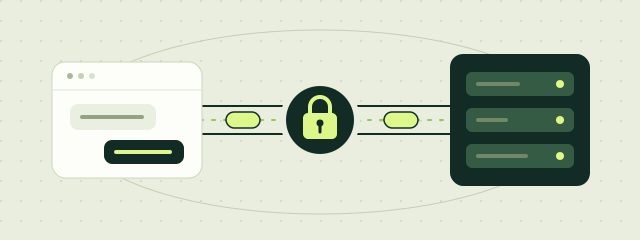
In transit: endpoints and the Console are served over TLS only (https:// and wss://). The client libraries always use it.
At rest: backups are encrypted before they are stored. How disks and off-site copies are encrypted on each cloud is in the Trust center.
Secret keys stay on your servers. A key's secret is shown once, when it is created; nobody can show it again, Swengle included. Browsers and apps never hold one: your server mints each user a short-lived client token.
Revoke a key and replace it on the endpoint's Connect tab at any time.
Isolation
Shared
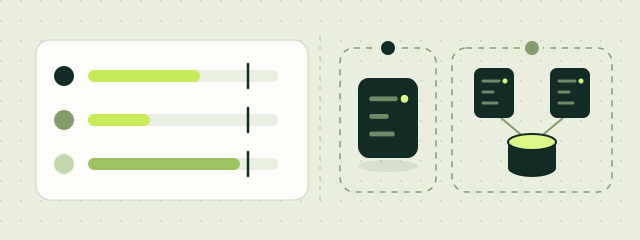
An endpoint on a shared cluster with other customers' endpoints, each held to its own limits: 1,000 connections and 500 messages a second.
Dedicated
Your own host, running your endpoint's connections, fan-out and database. No other customer on it.
Cluster
A database host, relay hosts and Echo hosts of your own. No other customer on them.
Every message, in order. Or we tell you.
Stored before it counts. A publish is acknowledged, and a message delivered, only after it is stored in the endpoint's database.
Numbered and replayable. Messages are numbered per channel and kept for the endpoint's retention: 1 day on Shared, 1 to 7 days on Dedicated and Cluster.
No silent gaps. A client that reconnects gets every message after its last one, in order. If that is no longer possible, for example because it was away longer than the retention, it gets RESYNC_REQUIRED and knows to reload.
Retries are safe. A publish retried with the same idempotency key is stored once. The libraries always send one.
Delivery is at least once: after a reconnect a message can arrive again, with the same id.
Five availability levels
Each Dedicated and Cluster has one level, and each level includes the ones before it. A new one starts at No backups; you can change the level any time on its Availability tab. Prices for each level
No backupsCowboy mode
No net. Fine for demos and throwaway work.
For quick or disposable use. If the host is lost, its data is lost.
Daily backups RecommendedSafety net
Lose at most a day.
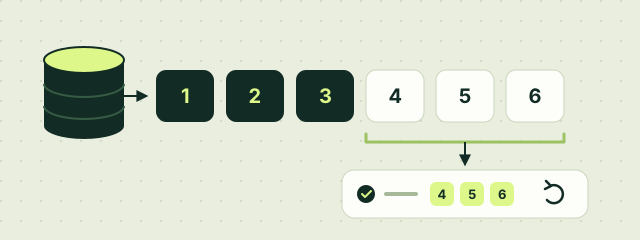
A full backup a day, the newest 7 kept. A lost host loses at most about the last day.
Continuous backupsFlight recorder
Every write saved within about a minute.
Every write also archived, at most about a minute behind. A lost host loses at most about the last minute.
Replicated databaseCo-pilot
A second database in another zone takes over, losing nothing acknowledged while its replica is in sync.
A synchronous replica in another zone that takes over on its own, losing nothing acknowledged while it is in sync.
Zone outage protectionTwin engines
Lose a whole zone and keep flying.
A complete copy in each of two zones. If a whole zone goes down, the other keeps serving. On every Cluster, and on Dedicated in the regions that offer it (the Console shows where).
Shared endpoints are replicated across zones, with continuous backups, in every region we offer. It is included in the per-message price; there is nothing to choose.
At Daily backups and every level above, and on Shared, the backups are also copied, encrypted, off the region's cloud, so your data survives the loss of a whole region or its cloud provider; Swengle staff would restore it by hand, with no stated recovery time (Trust center). The service does not fail over to another region, and No backups keeps no copies.
A planned change, such as a new host size or an update, loses nothing at any level.
Backups and deleting
With backups, restore an endpoint's channels and messages as of an earlier time into a new endpoint, from the Console. The original is not changed.
Deleting a Dedicated or Cluster deletes its hosts, deletes its database disk and deletes its backups. So does turning backups off.
Deleted backups are kept 30 days, then gone for good. Their off-site copies are deleted 14 days after the backup, and never sooner than 30 days after they were made. If you delete something by mistake, write to support@swengle.com right away. Deleted data cannot be brought back from the Console.
Deleting a Shared endpoint removes its messages from the shared cluster's database. Copies already in that cluster's backups stay until those backups age out.
Account security
Sign in with Google, with an email and password, or with your organization's single sign-on. Signing in with Google uses your Google account's protection, such as 2-Step Verification.
Two-factor sign-in with an authenticator app's code, set up on Account. An organization can require it of every member: members who sign in without it don't see the organization.
Single sign-on with your identity provider (SAML 2.0 or OpenID Connect). Verify your email domain with a DNS record; people from it then join your organization when they first sign in, and you can require it for the domain, so its people open your organization only through it. API tokens can be turned off for organizations that want no other way in.
A Console session lasts 30 days. Account → Sessions → Sign out other devices ends every session but the one you are using.
Changing your email signs you out on your other devices once you sign in with the new address. So does every email-and-password sign-in for 24 hours after a password reset email.
An organization's audit log shows who changed what, from which address and when, kept a year. Removing a member ends their access at once.
Nobody at Swengle will ask for your password, a secret key or a client token.
Status and incidents
The status page shows the Console and each region as we see them now, with incidents and their updates as they happen, and an Atom feed to follow them. We don't publish or promise an uptime figure; a committed service level needs a separate agreement.
Questions
Report a vulnerability
Suspected vulnerabilities, abuse or unauthorized access. Keep secrets and keys out of your message. See our disclosure policy.
 aws-eu-central-1
 aws-eu-west-2
 aws-sa-east-1
 aws-us-east-2
 gcp-asia-northeast1

 No backupsCowboy mode
 Daily backups RecommendedSafety net
 Continuous backupsFlight recorder
 Replicated databaseCo-pilot
 Zone outage protectionTwin engines